Search The Knowledge Base
Sites in Your Mentor EDC Environment
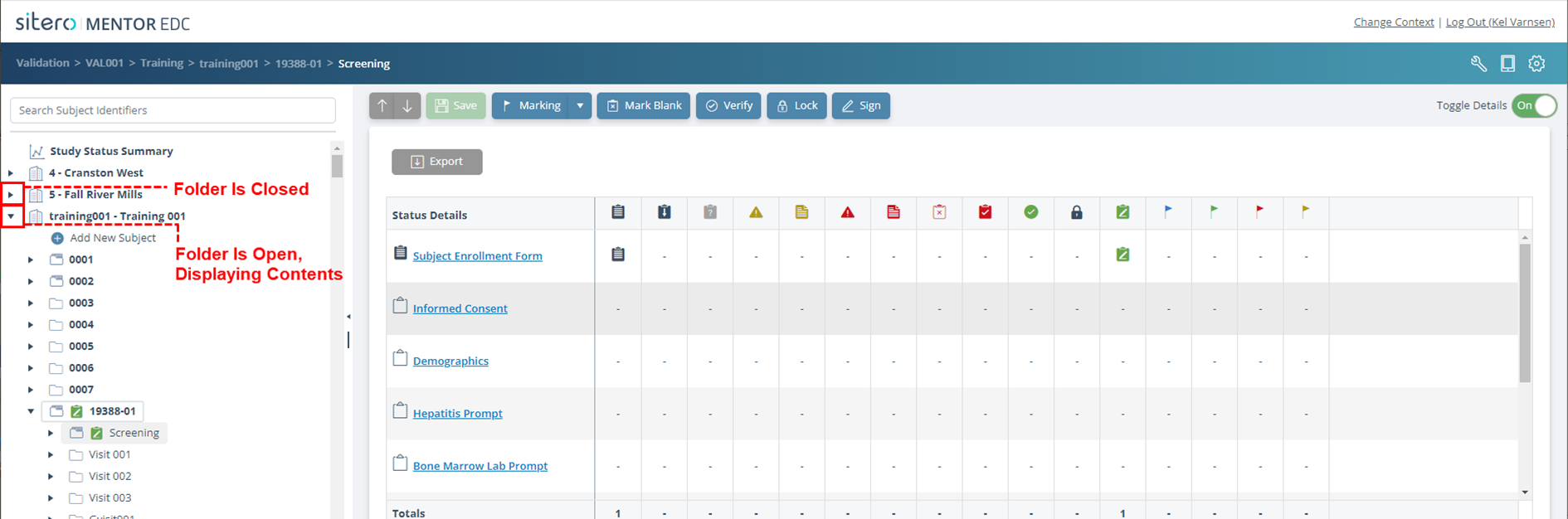
- After you log in to an environment, a list of the Sites associated with your Study displays in the Study Tree (left side navigation pane); site access is permission based.
- Click the arrow to the left of a Site name to open the Site and display details (e.g., Subjects, Data, Actions) associated with that site.
- Click the arrow again to close the folder.
- Refer to the directions below or click to go to Select From Breadcrumb Trail for another way to select a different Site.

Click on the Site name (folder) in the navigation pane and site level options display on the main screen.
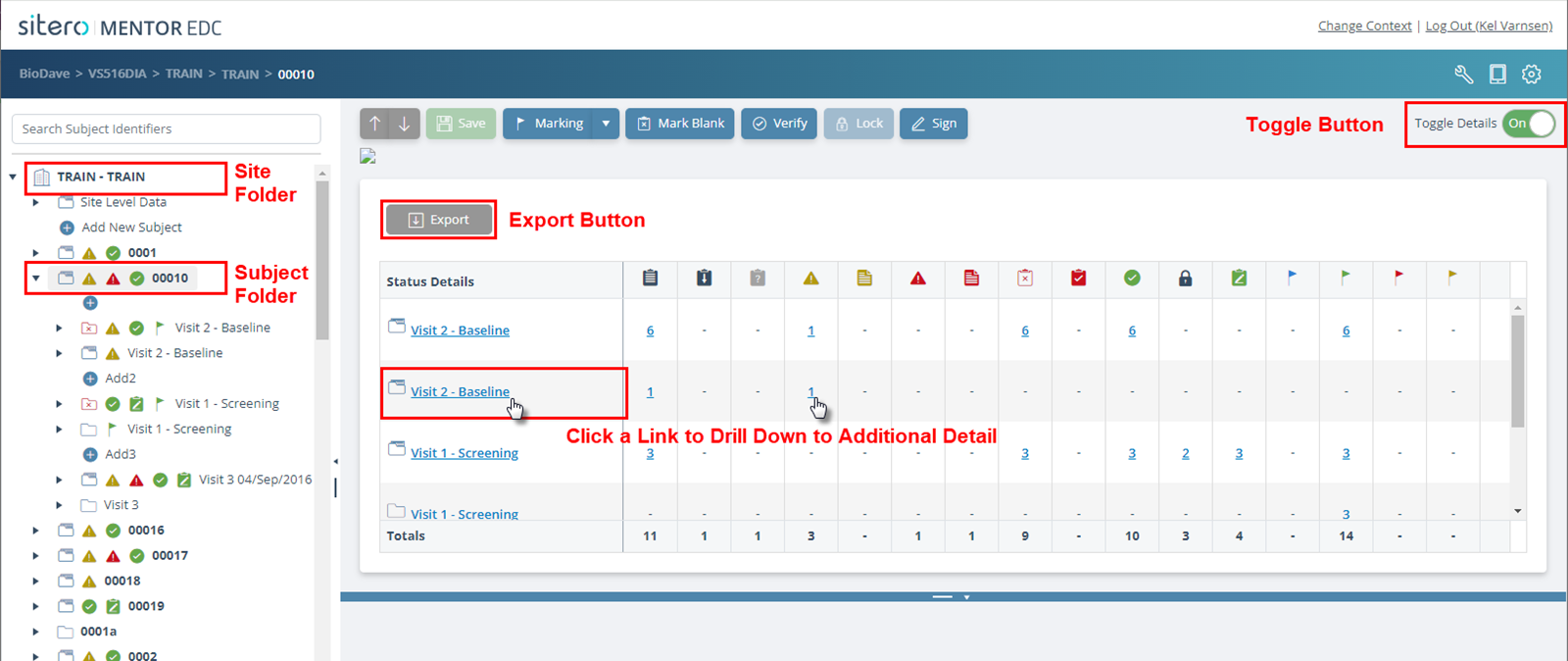
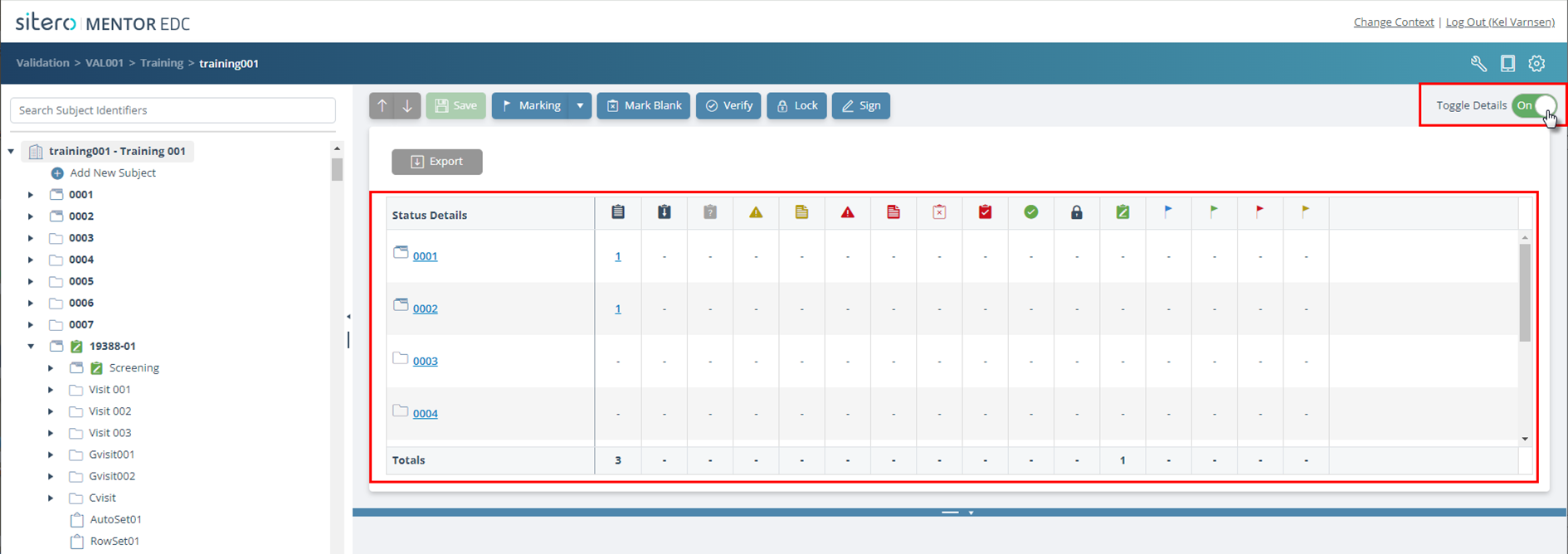
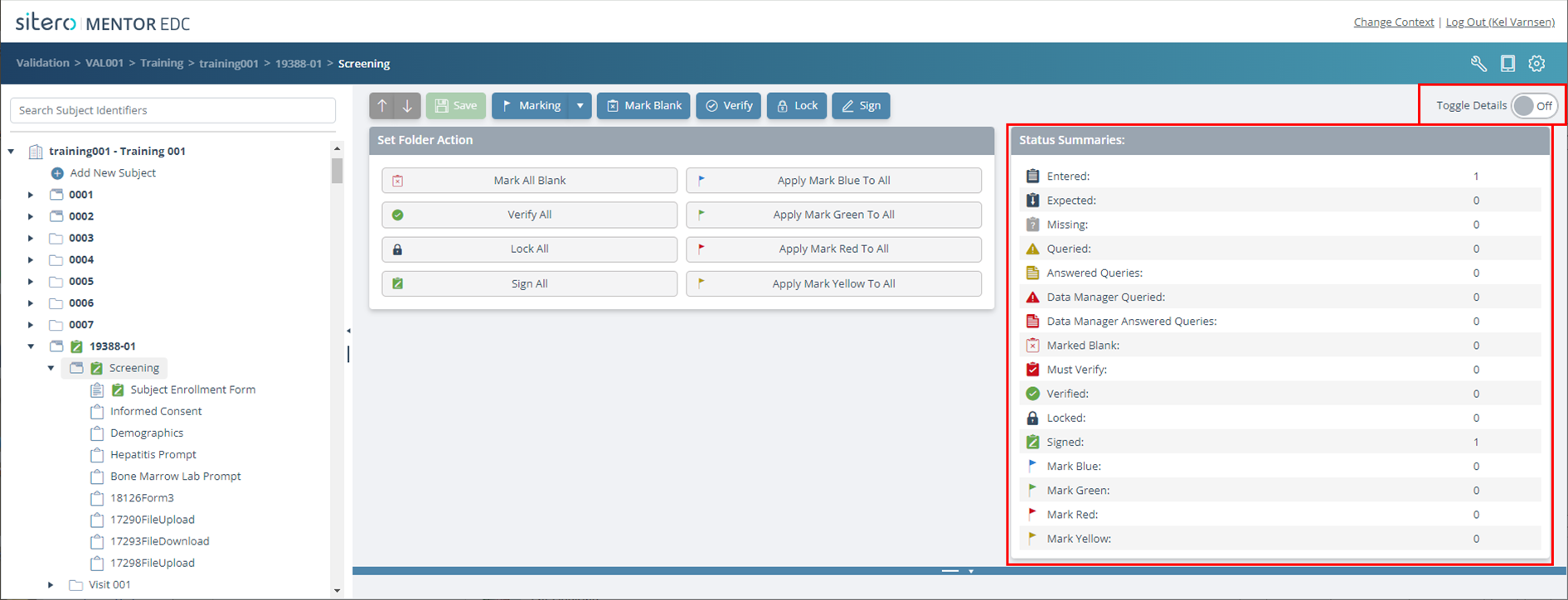
Use the Toggle Details button to turn On/Off (show/;hide) additional detail for a selection.
The information, links, and buttons in the tiles allow you to review Status Summary details and perform actions for this site.