Search The Knowledge Base
Locate a Subject Record via Search in Mentor EDC
Use the Search Options to Locate a Subject Record
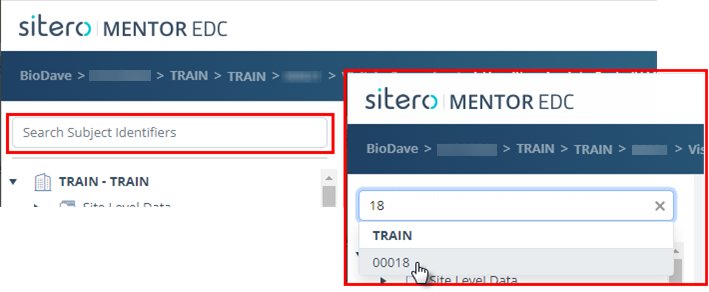
- The Search Subject Identifiers field (above the Study Tree) AND the Select Subjects field (in Breadcrumb Trail) allow you to directly locate a specific subject record in your environment.
- Click in the search box and type all or part of the ID for the subject.
- The system displays the subject IDs that match your entry.
- Click to select the Subject and open the record details onscreen.
- The subject folder is highlighted in the navigation tree and information for the subject displays on the main screen.