

Search The Knowledge Base
How to Monitor Subjects in Mentor RTSM
To begin, log in to the system, then follow the steps below.
- Click the Sites button at the top of the screen.
- The grid displays a list of Sites to which your credentials allow access.
- Click on a link in the Site column.
- The Dashboard displays information in tiles.
- Scroll down to the Monitoring tile.
Monitoring (Tile)
Scroll down for details about using the export button to Download Monitoring Report on this screen.
- The Monitoring tile presents subject information in grid format on two (2) distinct tabs:
- Subjects By Missed Window – a grid displays the subjects that have missed their visit window, as defined in the study visit schedule.
- Subjects By Strata Summary – a grid displays the total number of subjects per Strata, as defined by the study protocol.
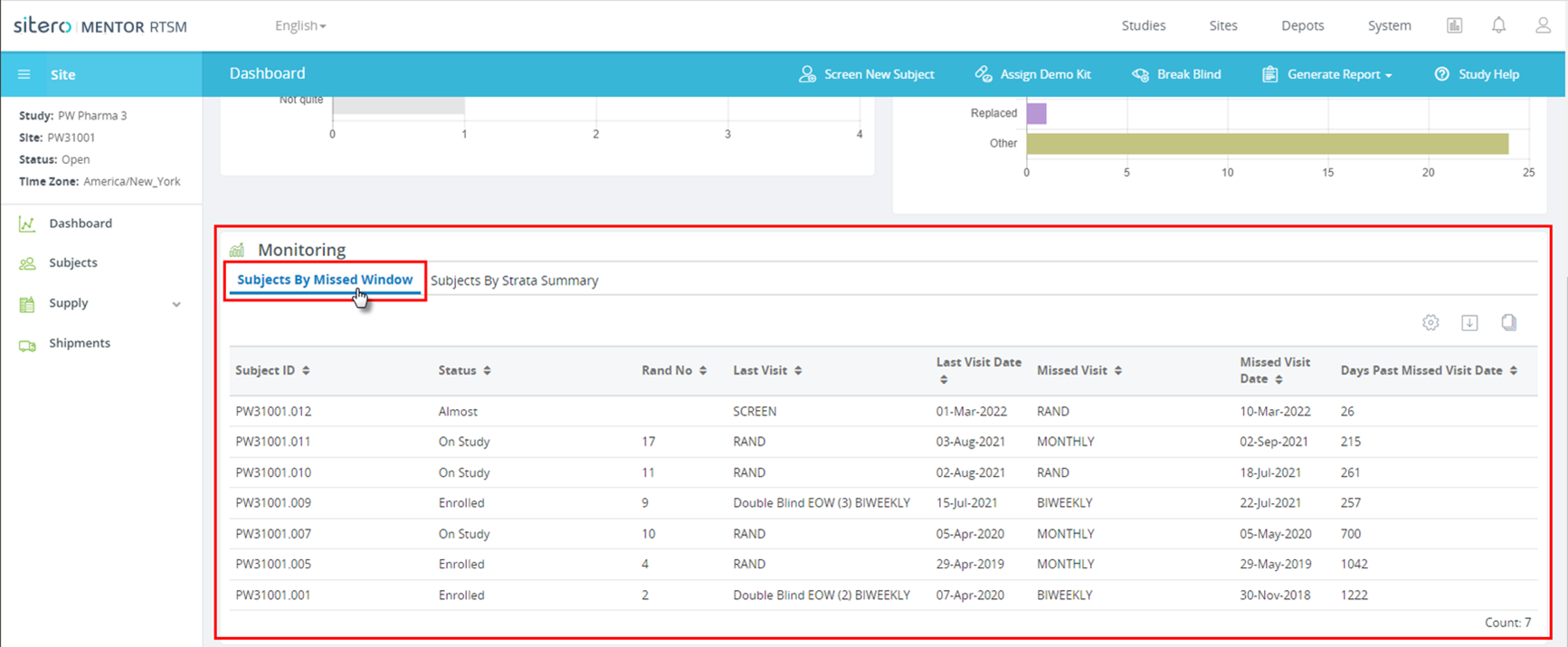
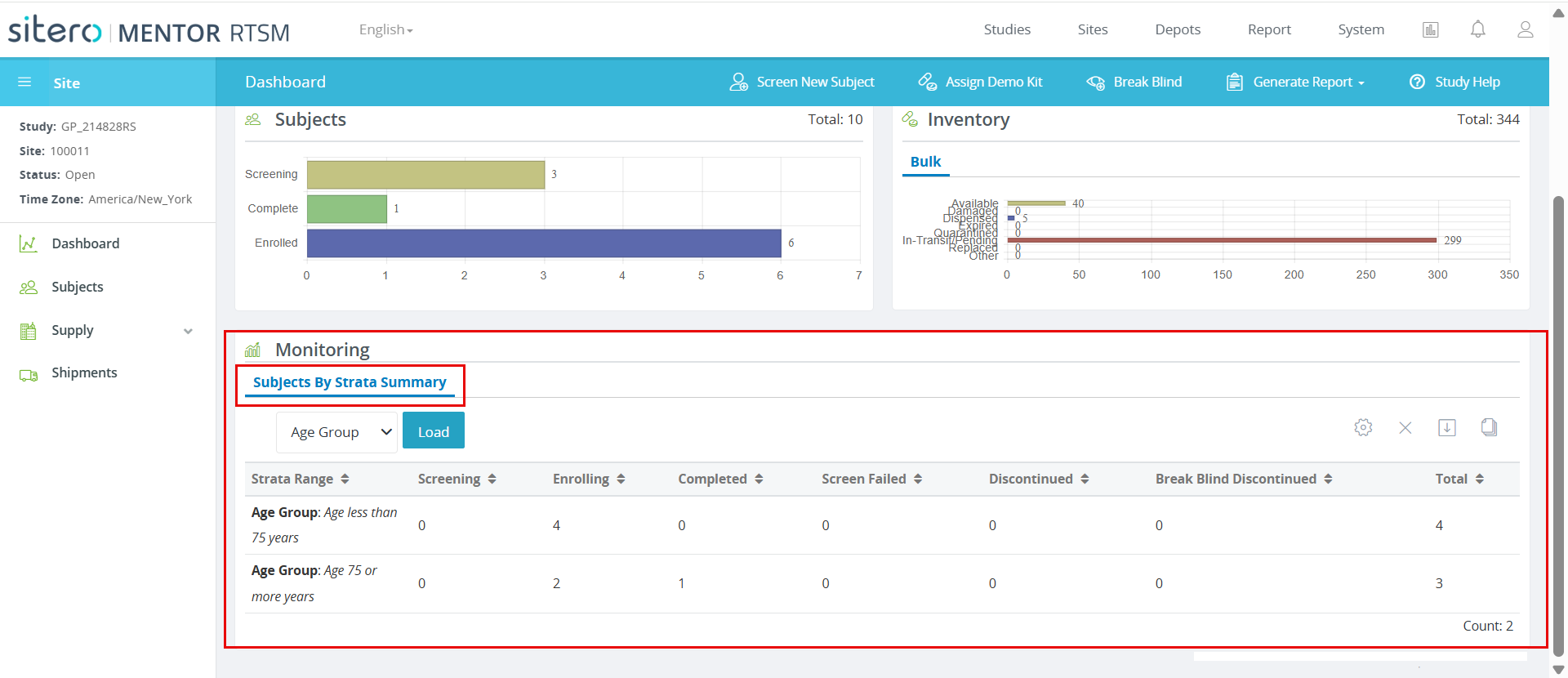
Download Monitoring Report
Click to select a Tab, options include:
- Subjects By Missed Window
- Subjects By Strata Summary
- Click the export button (arrow in square – top right).
- The system automatically generates a *.csv file.
- File options display based on the browser in use; your file may automatically open and display onscreen or may be accessed in the location where your browser saves downloads.

| Report Name | Report Description |
| Subjects Missed Window | The Subjects Missed Window Report lists the subjects that have missed their visit window, as defined in the study’s visit schedule. |
| Subjects By Strata Summary | The Subjects By Strata Summary Report lists the total number of subjects per Strata, as defined by the study design. |
Subject Processing and Monitoring
Use the features and functions to view and update subject information. Based on settings for your environment, the screen detail that displays may differ from the screenshot examples.
- Log in to the system, select the Studies tab (top of screen).
- Click the Monitoring button (left side menu), then click Subjects button to display the grid.
- Click a link to select a subject.
- The screen displays information for your selection in tiles.
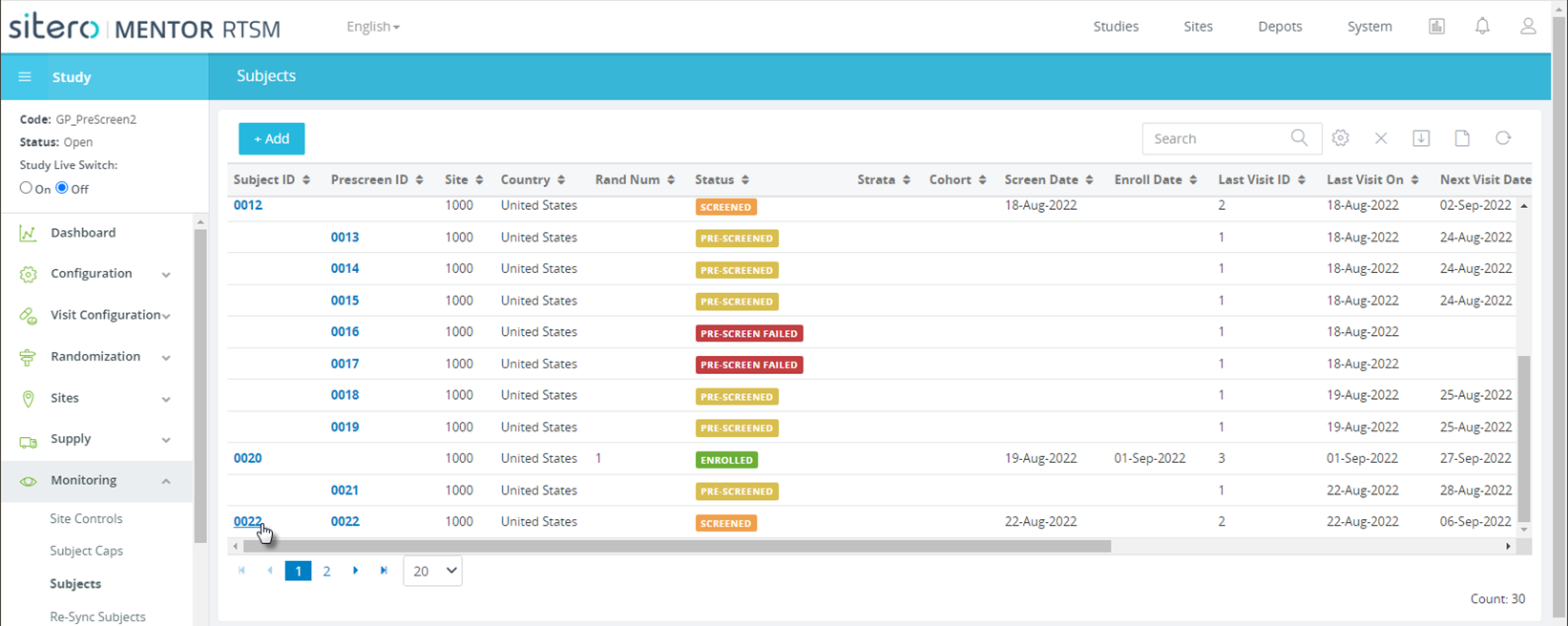
Click Link to Open Subject Record
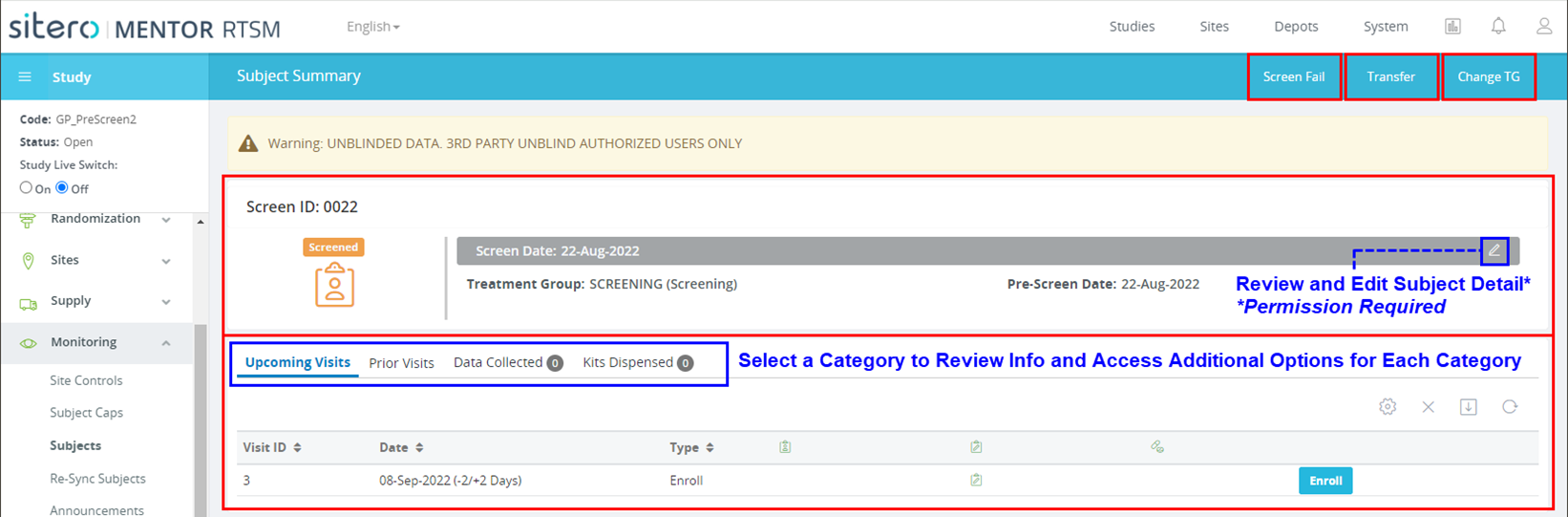
Information and Options Display on the Main Screen and Under Tabs
