Search The Knowledge Base
Actions Menu for Applying Bulk Actions in Mentor RTSM
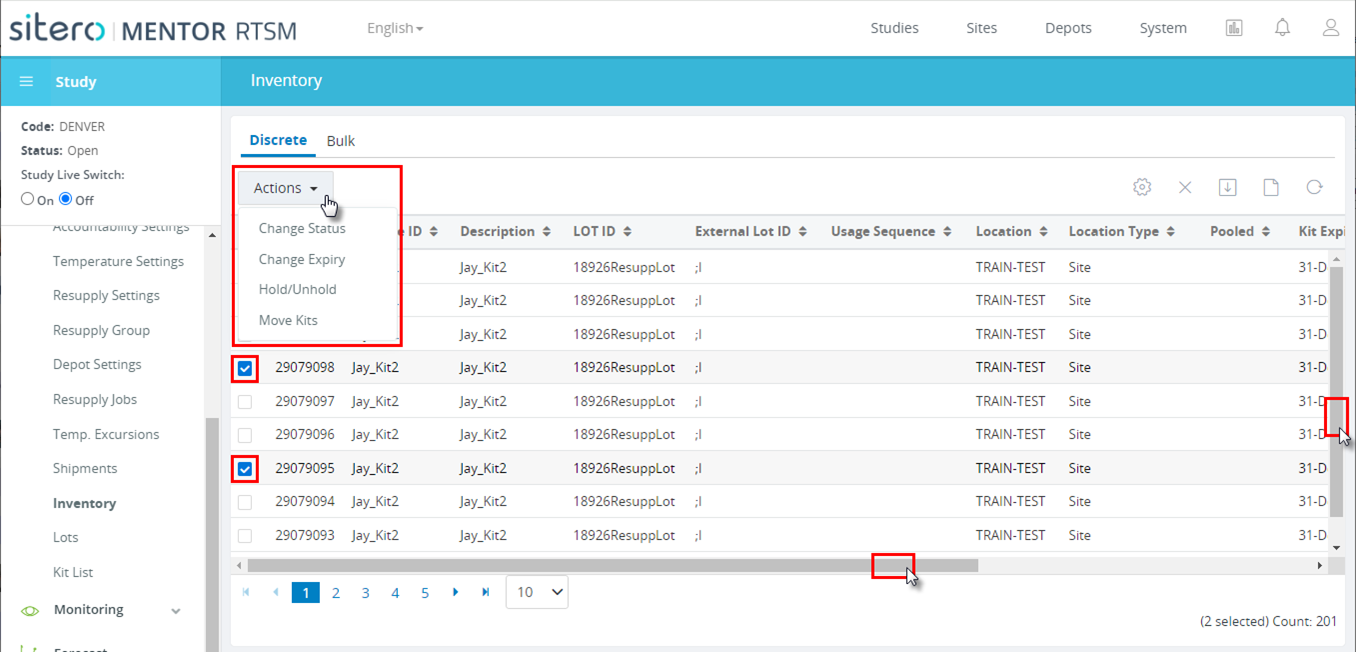
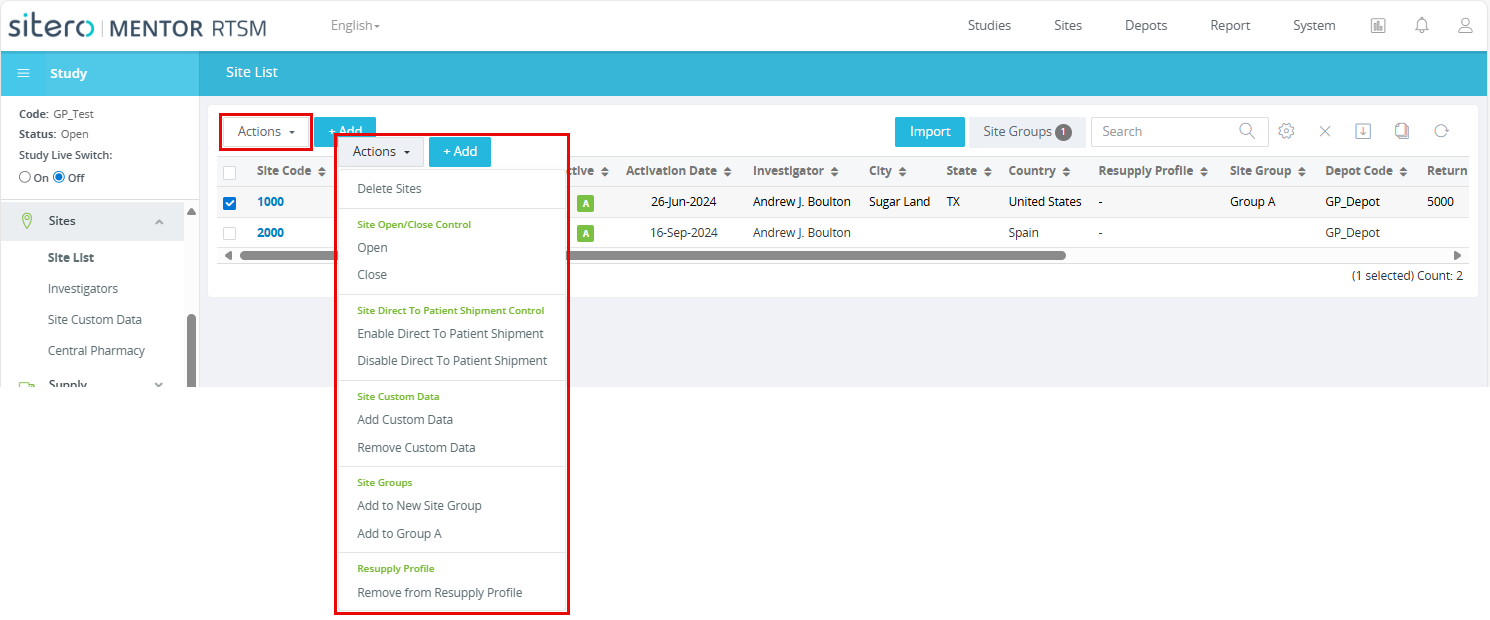
Certain grids within the application may support bulk action functionality via an Actions menu.
Use this function to apply an action from the menu to multiple rows in a grid at the same time.
The actions that display in the menu are based on your permissions in the environment.
- Click in a check box to select one (1) or multiple rows.
- Open the Actions menu.
- The menu populates options that are available for the grid.
- Click to select an action.
- The selected records are updated based on your selection; additional dialog boxes may display and prompt you to confirm the action.