Search The Knowledge Base
Mentor Fusion Overview
Review the information below to get an understanding about the key elements that govern how Mentor Fusion functions.
Fusion Elements
- Refer to the information below for details about:
- How Mentor Fusion Organizes Data Entry
- Visit Components
- Overall Fusion Workflow
- Fusion Status by Role
- Key Coordinator Tasks in Fusion
- Marking Visits and Forms as SDR
- Edit and Enter Data Post SDR
How Mentor Fusion Organizes Data Entry
Data is divided between Visits and Common Forms (log type forms).
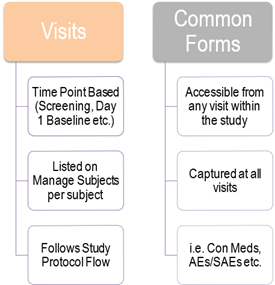
Visits are Comprised of the Following Components
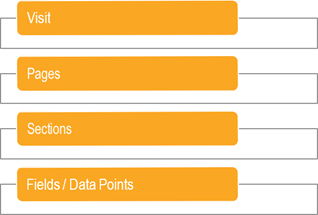
The Overall Fusion Workflow
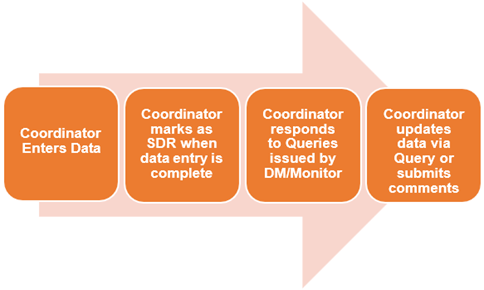
Coordinators have flexibility on when data entry needs to be entered. There is no need to complete it all in a single pass.
*Remember: Fusion does not generate automatic queries for incomplete or incorrect data at the time of data entry.
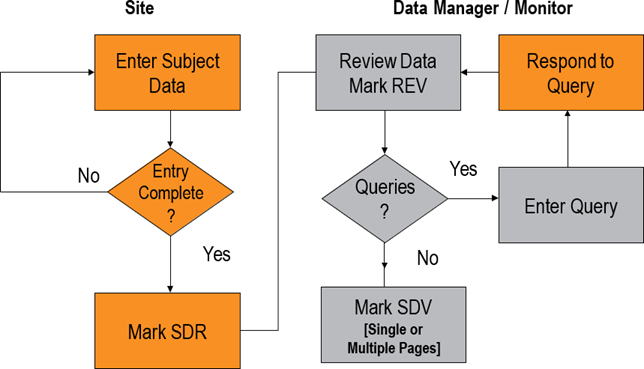
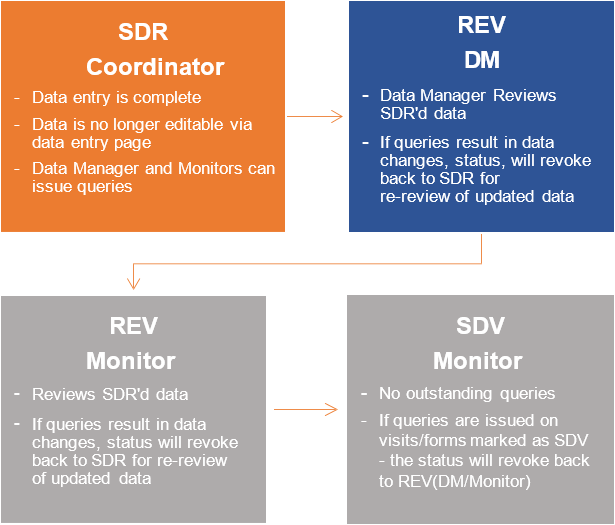
Fusion Status by Role
Key Coordinator Tasks in Fusion
Marking Visits and Forms as SDR – Source Document Ready
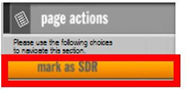
- All Visits and Common Forms need to be marked as Source Document Ready (SDR) once complete.
- Refer to Mentor Fusion Icons and Definitions for visual example of the icons that display after data entry is complete and after marked as SDR.
- Additionally, the Page Action screen may display the following:

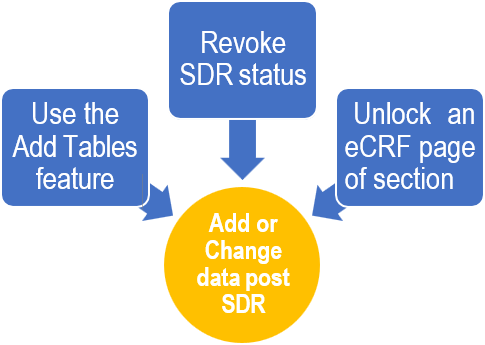
Options for Entering / Editing Data Post SDR