Search The Knowledge Base
Configure Settings and Show or Hide Records in a Grid in Mentor CTMS
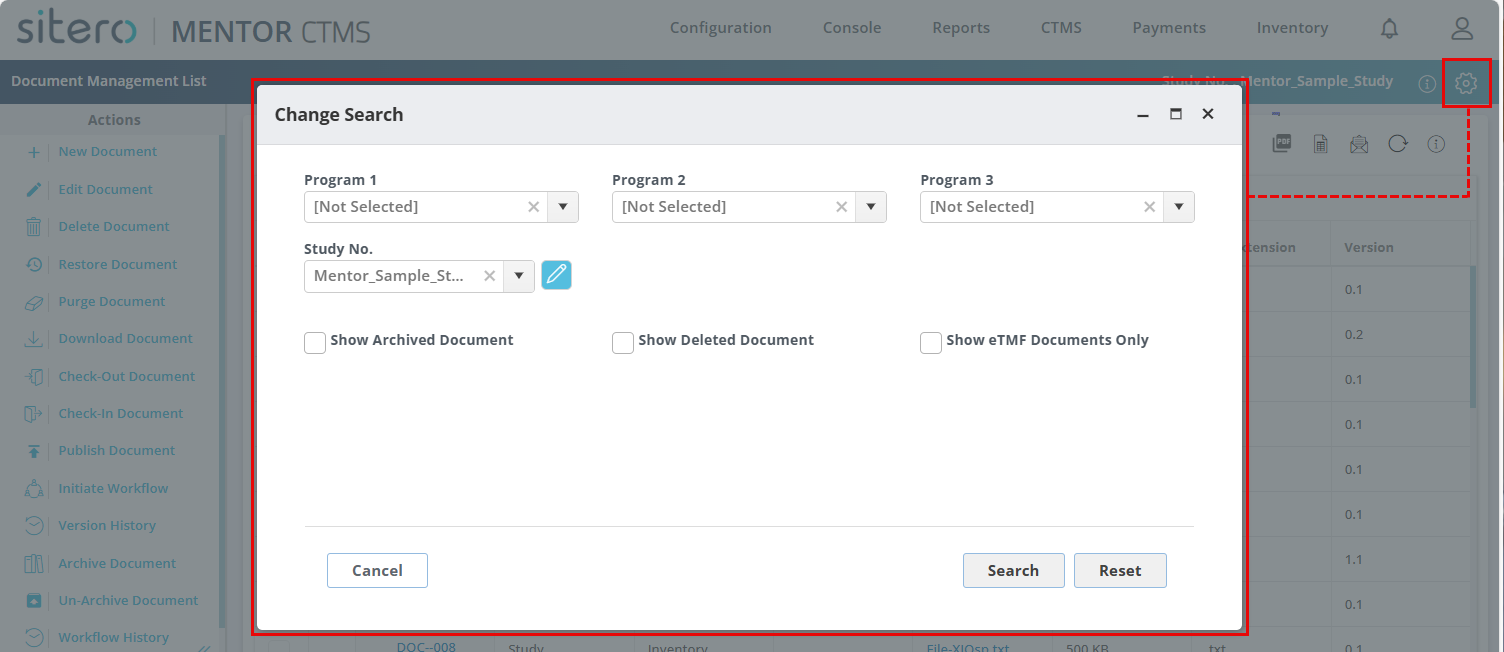
Follow the steps to display Cancelled and Deleted records in the applicable grid, e.g., Cancelled Subject Visit, Deleted Document. Changes to the settings are applicable only for the screen on which an update is made.
This setting remains in effect for your user credentials, even if you log out and log back in to the system.
You may apply this action on all applicable screens in this system.
- From the applicable screen, click the gear icon (top right in section header).
- The Change Search dialog box displays available options for the screen.
- Use the menus and buttons to make selections, as needed.
- Click in a check box to “turn on” an option, click on a check mark to “turn off” an option.
- Click the Search button to complete the process and exit the dialog box.
- Optionally, click the Reset button to return to system default settings or click the Cancel button to exit the dialog box without making changes.